

What is Twitter GIF downloader and how to use it

Twitter GIFs have become one of the internet’s favourite tiny emotional survival tools. Communication online has gotten increasingly visual, slightly chaotic, and weirdly efficient all at once. This situation has raised demand for tools that never existed before.
This is where tools like Twikite enter the picture. Twikite’s Twitter GIF downloader focuses on giving users a fast and lightweight way to save GIF content directly from public X posts without unnecessary setup or quality loss.
In this article, we’ll explain what Twikite actually does, why Twitter GIF downloading feels strangely complicated in the first place, and how users can save GIFs quickly across devices.
Common Problems When Downloading Twitter GIFs
A surprising amount of internet frustration begins with people trying to save a GIF and realising reality disagrees with them.
One of the biggest misunderstandings is this:
Twitter GIFs are not really traditional GIF files.
Instead, X automatically converts uploaded GIF animations into looping MP4 videos. This helps reduce bandwidth consumption and improves loading speeds on the platform, which is also why many Twitter GIF tools function similarly to a Twitter video downloader.
Which makes sense from an engineering perspective, even if it confuses basically everybody else.
According to publicly documented media behaviour on Twitter/X, video-based looping formats are dramatically more efficient than old-school GIF files. Traditional GIFs can become hilariously massive in file size despite low quality.
That creates several problems for regular users.
Problem 1: Right-Click Saving Doesn’t Work Properly
Users often try:
- Right-click → Save Image As
- Long-press on mobile
- Screenshotting the animation
Most of these methods fail or produce low-quality results.
Sometimes the file saves incorrectly. Other times, users only save a static frame instead of the moving animation itself. This feels like catching a butterfly and discovering it turned into a jpeg emotionally.
Problem 2: Poor Quality Downloads
Many random downloader websites heavily compress media.
The result:
- Blurry GIFs
- Choppy playback
- Lower resolution
- Watermarks added afterward
This becomes especially noticeable for reaction memes, sports clips, or animations containing text overlays where compression turns letters into mysterious ancient symbols.
Problem 3: Fake Download Buttons and Ads
Some Twitter GIF downloader websites feel less like tools and more like psychological endurance tests.
You click “Download” and suddenly:
- Three tabs open
- A casino advertisement appears
- A fake virus warning screams at you
- Your browser starts questioning life choices
Users mainly want simplicity, not a scavenger hunt designed by pop-up demons.
What Is Twikite Twitter GIF Downloader
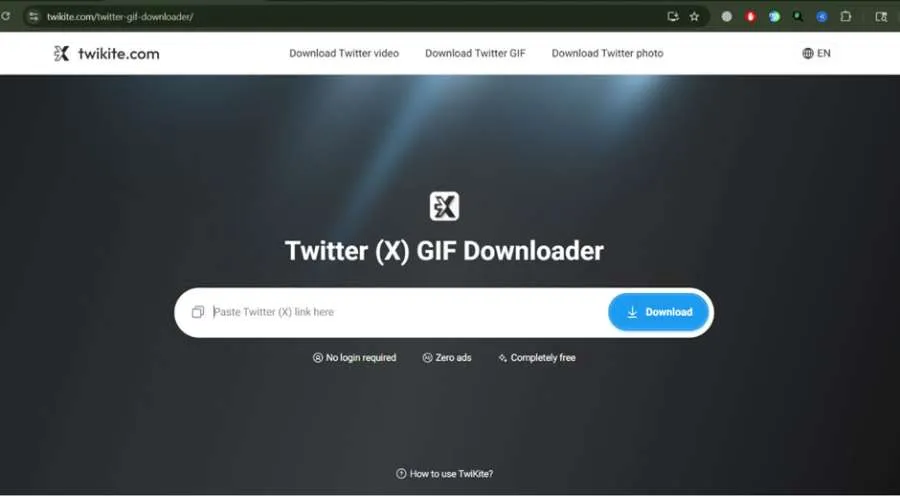
Twikite is a browser-based Twitter GIF downloader designed to help users save GIFs, videos, and photos from public Twitter/X posts quickly and without unnecessary complications.
The tool works by fetching media directly from Twitter/X servers after users paste a tweet link into the downloader.
Instead of heavily processing or recompressing files, Twikite retrieves the original available media quality whenever possible.
That distinction matters more than people think.
How Twikite Handles Twitter GIFs
Because Twitter stores GIFs internally as MP4 videos, Twikite downloads them in MP4 format too.
This surprises users initially, but it’s actually beneficial.
MP4 files:
- Preserve smoother playback
- Load faster
- Maintain better visual quality
- Consume less storage space
Traditional GIF files can become absurdly heavy while still looking strangely crunchy around the edges. MP4 solves most of that problem quietly in the background.
Why Users Prefer Browser-Based Downloaders
As a powerful Twitter downloader, Twikite works directly inside modern browsers, including:
- Chrome
- Safari
- Firefox
- Edge
This means:
- No installation
- No extensions
- No software downloads
- No complicated setup
For users on iPhone, Android, Mac, or Windows devices, the workflow remains almost identical.
That consistency matters because many downloader tools work well on desktops but collapse into chaos on mobile browsers.
Key Features of Twikite
Twikite focuses heavily on simplicity and speed rather than overwhelming users with unnecessary controls nobody asked for.
Here are some of the major features users commonly care about.
|
Feature |
Description |
|
Free Unlimited Downloads |
No daily caps or subscriptions |
|
No Login Required |
No account creation needed |
|
High Quality Downloads |
Retrieves best available resolution |
|
No Watermarks |
Clean original media files |
|
Multi-Device Support |
Works on desktop and mobile |
|
Fast Processing |
Downloads generated within seconds |
|
GIF, Video & Photo Support |
Multiple media types handled |
One subtle but important thing: Twikite avoids clutter.
A lot of downloader websites feel visually exhausting. Fake buttons everywhere. Flashing ads. Countdown timers pretending to “prepare” files while mostly preparing irritation.
Twikite keeps the process relatively lightweight:
- Paste link
- Process media
- Download file
Done. Honestly, reducing friction becomes a feature by itself nowadays.
Privacy and Anonymity
Twikite also states that:
- No login is required
- User activity is not tracked
- Downloads are not stored permanently
People have become increasingly cautious about privacy online, especially when random websites request unnecessary information for tiny tasks.
The less data users need to hand over, the more comfortable the experience generally feels.
How to Download GIFs Using Twikite
Using Twikite’s Twitter GIF downloader is intentionally simple.
Even users who are not especially technical can usually finish the process in under a minute.
Step 1: Copy the Tweet Link

Open Twitter/X and find the GIF post you want to save.
Tap or click: Share → Copy Link
Step 2: Open Twikite and Paste the Link
Go to the Twikite website in your browser.
Works on:
- Desktop browsers
- Android phones
- iPhones
- Tablets
No setup required. Paste the copied tweet URL into the input field.
Twikite scans the tweet automatically and identifies available media content.
Step 3: Download the GIF
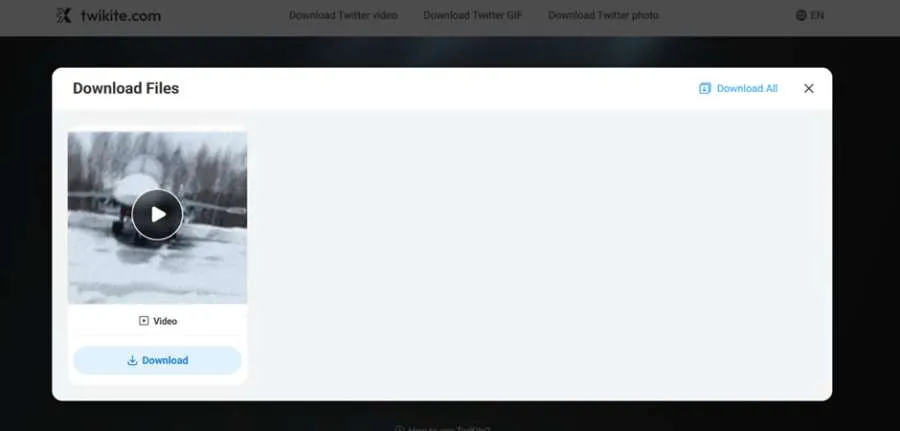
After processing completes:
- Download options appear
- Click Download
- Save the MP4 file directly to your device
That’s basically the whole process.
No waiting queues. No conversion circus. No mysterious “premium unlock” buttons floating around the page pretending urgency exists.
Conclusion
Twitter/X GIF downloading feels oddly complicated, mostly because Twitter GIFs are not actually GIFs in the traditional sense. They’re looping MP4 videos optimised for faster streaming and reduced bandwidth usage.
Whether users are collecting memes, archiving reaction clips, saving entertainment content, or building giant folders full of oddly specific emotional responses, the tool makes downloading GIFs from Twitter/X feel much less ridiculous than it used to.
Share: